Landing page vs website — what's the difference, and which one do you need?
A website tells your whole story; a landing page asks one visitor to take one action. The differences, when to use each, and why most businesses need both.

"Can you build us a landing page?" is one of the most common things we hear. Half the time, the person actually needs a website. The other half, they already have a website and a landing page is exactly what's missing.
The two look similar — both are pages on the internet with your logo on them. But they do very different jobs.
The short answer
- A website is your business's home online. Many pages, many visitors, many reasons to be there.
- A landing page is one page built for one visitor, from one source, to take one action.
A website says "here's everything about us." A landing page says "here's one offer — click this button."
What a website does
A website is for everyone who might look you up: new customers, old customers, job seekers, partners, Google.
- Several pages — home, services, about, portfolio, blog, contact.
- Full navigation — a menu so visitors can explore in any direction.
- Many goals — learn about you, compare services, read guides, call, apply for a job.
- Built to last — it grows over years and earns traffic from search through its content.
Its job is trust and discovery. When someone hears your name, the website is where they go to check you're real.
What a landing page does
A landing page is where people "land" after clicking an ad, an email, a social post or a QR code.
- One page, usually long and scrolling.
- One goal — book a call, download a guide, sign up, buy one product.
- Little or no navigation — no menu pulling people away. Every link points to the same action.
- Matches the source — the headline repeats the promise from the ad they just clicked.
- Often temporary — built for a campaign, a launch or a season, then retired or replaced.
Its job is conversion. You're already paying (in money or effort) to bring the visitor there, so the page has one task: don't waste that click.
The differences side by side
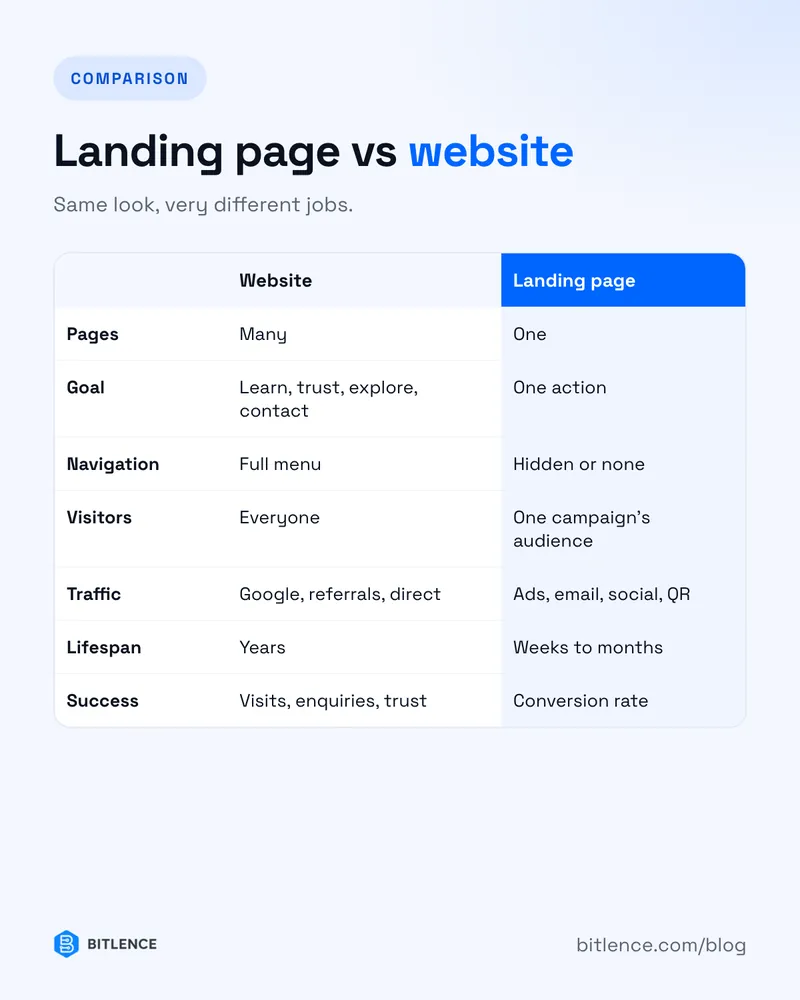
- Pages — website: many. Landing page: one.
- Goal — website: many (learn, trust, contact, explore). Landing page: one action.
- Navigation — website: full menu. Landing page: hidden or none.
- Visitors — website: everyone (search, word of mouth, direct). Landing page: a specific group from one campaign.
- Traffic — website: mostly organic (Google, referrals). Landing page: mostly paid or targeted (ads, email, social).
- Lifespan — website: years. Landing page: weeks to months.
- Success measured by — website: visits, enquiries, trust. Landing page: conversion rate on one action.
When you need a landing page
- You're running ads. Sending Google or Meta ad traffic to your homepage is the classic money leak. The visitor clicked "Website for dentists" and lands on a page about everything you do. A dedicated page that matches the ad converts far better.
- You're launching one product or offer. A new course, an app, a seasonal sale — one page, one story, one button.
- You're collecting leads. A free guide, a webinar, a waitlist.
- You're testing an idea. Before building a full site, a landing page tells you if anyone actually wants it.
When you need a website
- People search for your business name. If there's nothing there — or just one sales page — you look smaller or less trustworthy than you are.
- You offer more than one service. Each service deserves its own page so it can rank on Google for what people actually search.
- You want long-term organic traffic. A blog, guides and service pages keep bringing visitors for years. A single landing page can't do that.
- Different people need different things. Customers, partners and job seekers all land in one place and find their own path.
Most businesses need both
This is the part people miss. It's rarely either / or.
The website is the foundation — it builds trust and gets found. Landing pages sit on top of it for specific campaigns. Someone clicks your ad, lands on a focused page, gets curious, clicks your logo, and browses the website to check you're legitimate. Then they come back and convert.
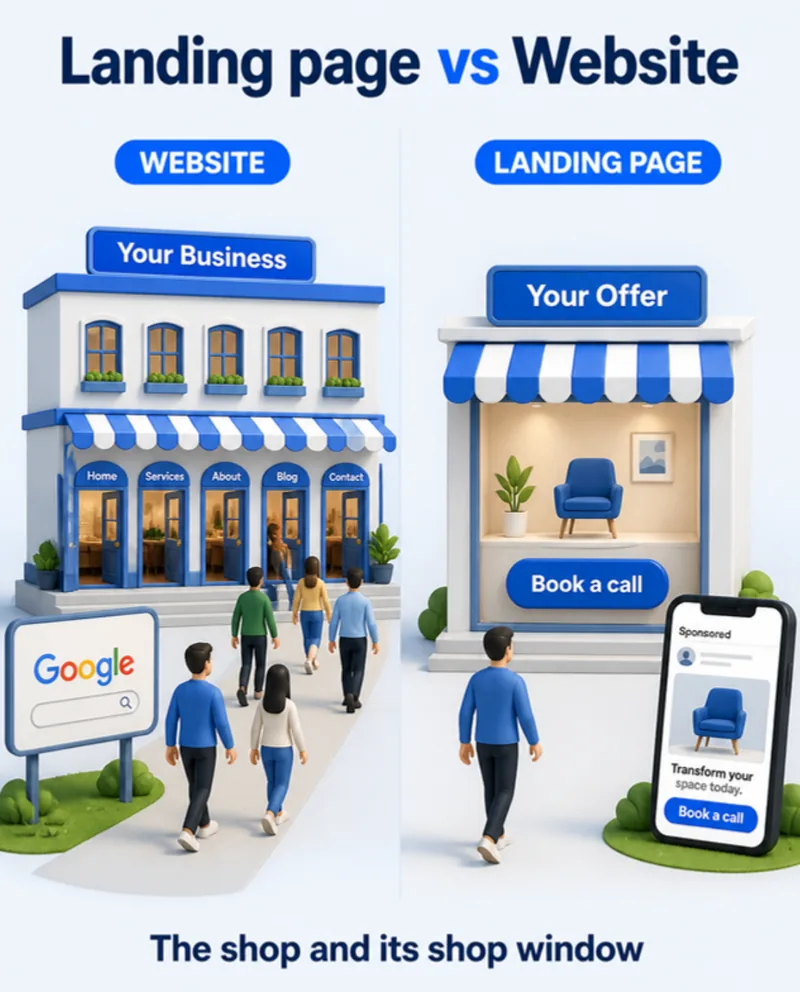
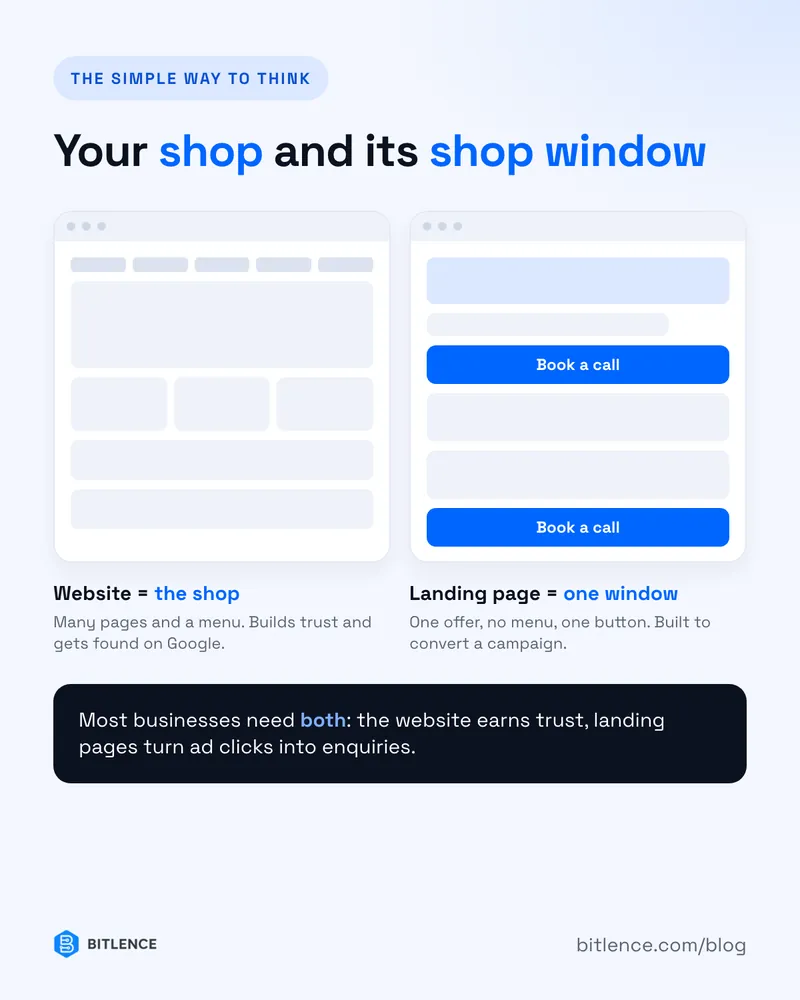
A simple way to think about it: the website is your shop, the landing page is the shop window for one product.
Mistakes we see all the time
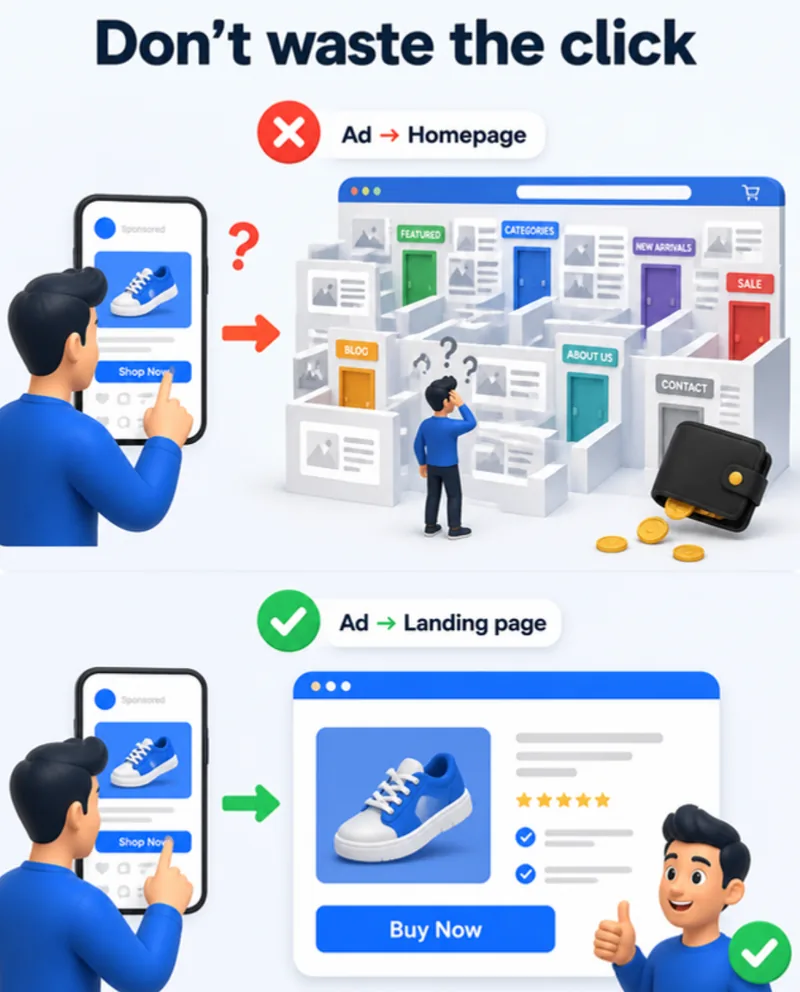
- Ads pointing to the homepage. You pay for the click, then make the visitor hunt for the offer.
- A landing page with a full menu. Every extra link is an exit. Keep it to one action.
- Too many offers on one page. "Book a call, or download our guide, or follow us on Instagram" — pick one.
- A one-page "website" for a business with five services. It's hard to rank on Google for five things with one page.
- Mismatched headlines. The ad promises "Free SEO audit," the page talks about web design. Visitors leave in seconds.
- Slow pages. A landing page that takes four seconds to load loses people before they see the offer. (Here's how to fix website speed.)
What a good landing page includes
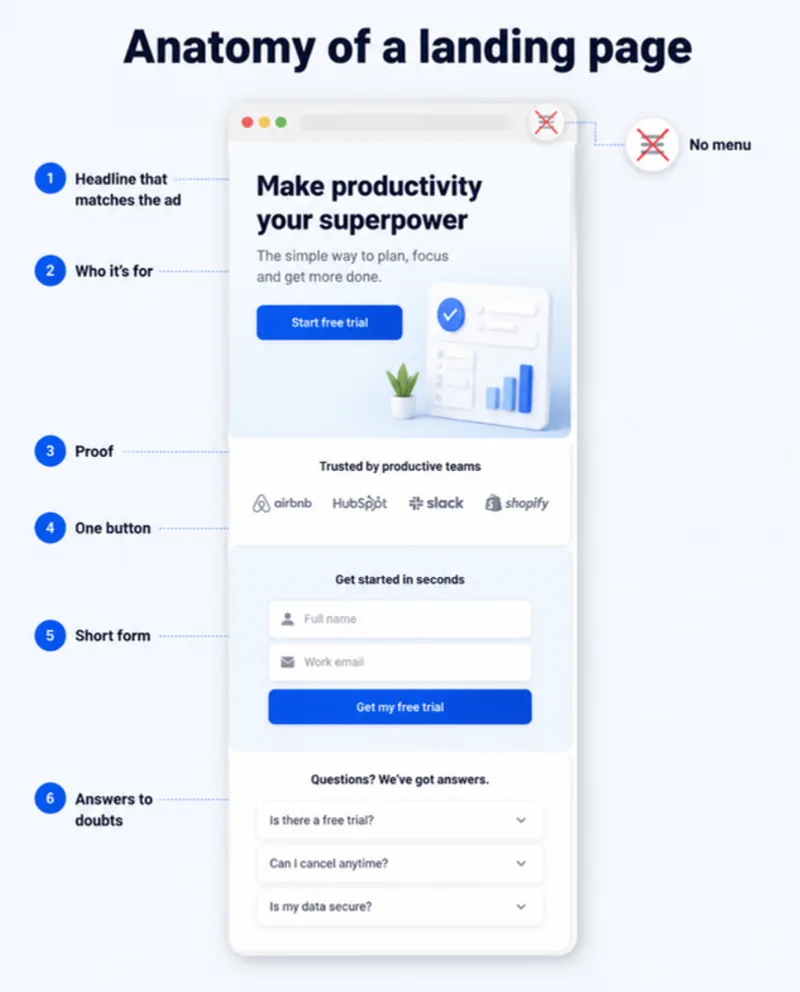
- A headline that matches the ad or link the visitor came from.
- One or two lines on who it's for and what they get.
- Proof — client logos, real results, a short testimonial.
- The action, repeated — the same button near the top, middle and bottom.
- A short form. Ask only what you need. Every extra field costs sign-ups.
- Answers to the obvious doubts — price, timeline, "what happens after I click?"
And remember: people scan, they don't read. (Nobody reads your website — design for that.)
Quick checklist: which do you need?
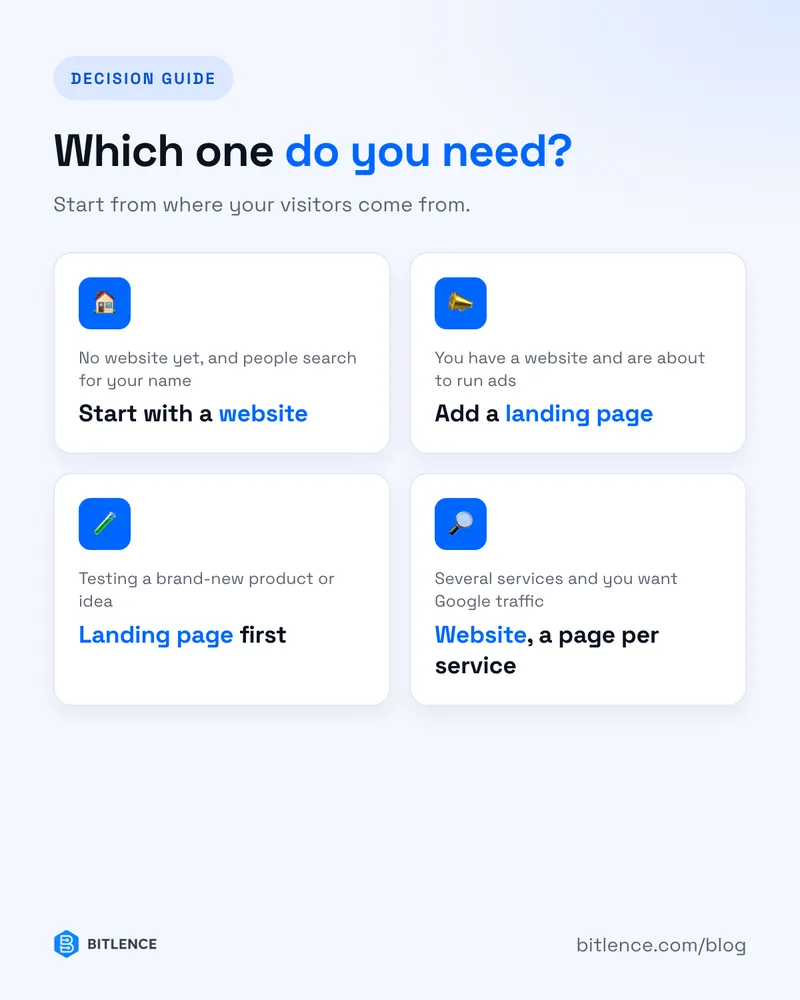
- No website yet, and people are searching for you → start with a website.
- Have a website, about to run ads or a campaign → add a landing page.
- Testing a brand-new product idea → landing page first, website later if it works.
- Many services and want Google traffic → website with a page per service.
Need one built?
We build both — full business websites and focused landing pages for ads and launches — in WordPress, Laravel, React or fast static HTML. Tell us what you're promoting and we'll tell you honestly which one you need. See our web development services, check what a website costs, or get in touch.