How agencies keep track of domain and hosting renewals (without missing one)
A missed domain or hosting renewal takes a client's site and email offline. Why renewals slip through, what to track, and a simple system that works.

Nothing damages a client relationship faster than this phone call: "Our website is down and our email has stopped working." Nine times out of ten, nobody was hacked. A domain or hosting plan simply expired.
If you run an agency or freelance for several clients, you're probably looking after dozens of renewals — each with a different date, at a different company, paid with a different card. Here's why they get missed, and a simple system that stops it.
Why renewals get missed
It's rarely carelessness. It's the way renewals are spread out:
- Different registrars and hosts. One client is on GoDaddy, another on Hostinger, another on a reseller you've never heard of.
- Reminder emails go to the wrong inbox — a former employee, the client's old office manager, or a spam folder.
- Auto-renew fails quietly because the card on file expired.
- The client owns the account and assumes you're handling it, while you assume they are.
- Renewals are yearly, so nobody remembers the process by the time it comes round again.
What to track for every client
For each client, keep one record that covers everything that can expire:
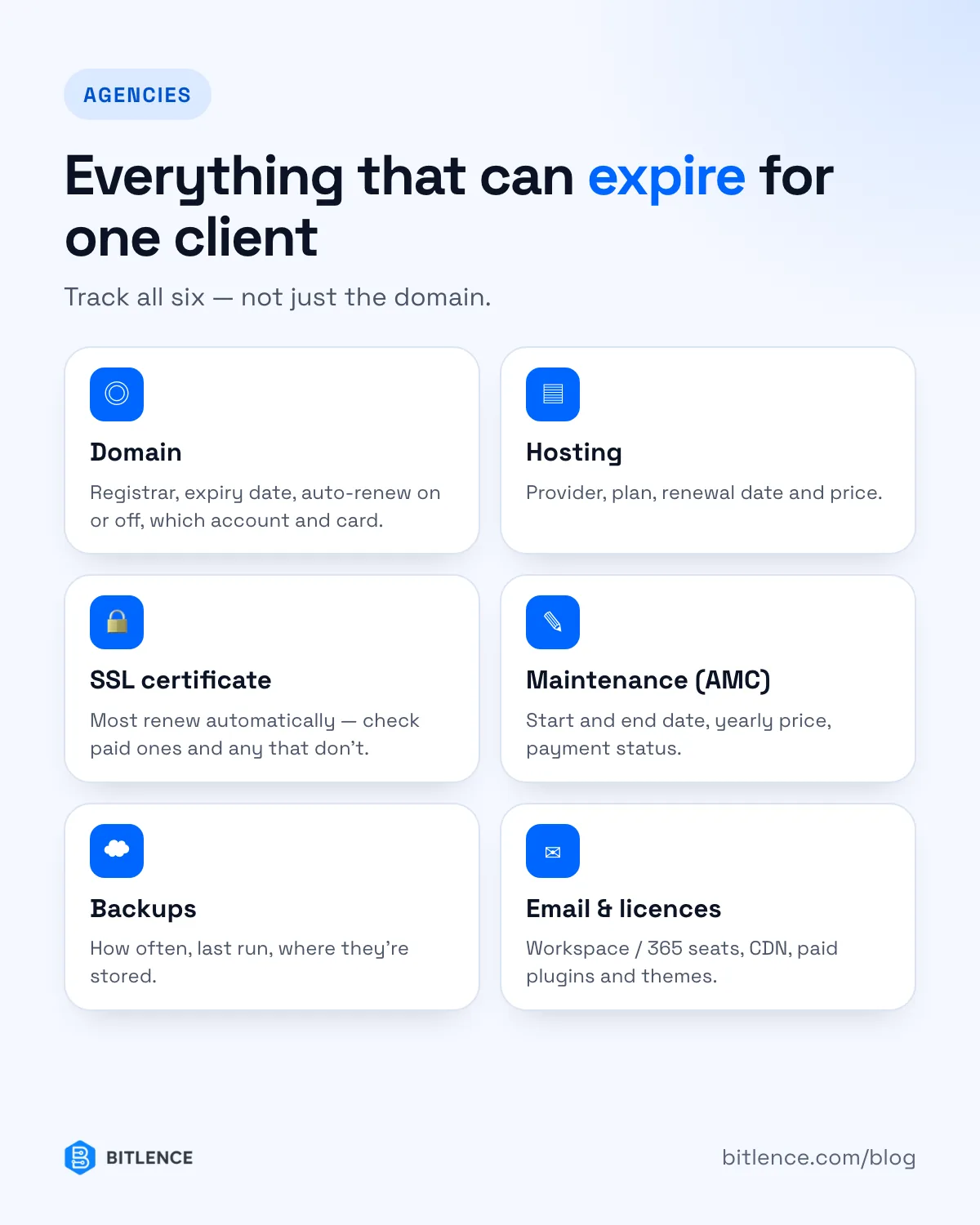
- Domain — registrar, expiry date, auto-renew on or off, which account and card it's on.
- Hosting — provider, plan, renewal date, price.
- SSL certificate — most now renew automatically (Let's Encrypt), but check paid certificates and any that don't.
- Maintenance contract (AMC) — start and end date, yearly price, whether the client has paid.
- Backups — how often they run, when the last one ran, where they're stored.
- Email and other services — Google Workspace or Microsoft 365 seats, CDN, paid plugins and theme licences.
- Who's responsible — you or the client, written down and agreed.
A simple system that works
Step 1: Put everything in one place
Start with a shared spreadsheet if you have nothing: one row per asset, with client, type, provider, expiry date, price and owner. Sort it by expiry date. Even this beats searching inboxes.
Step 2: Remind early, and more than once
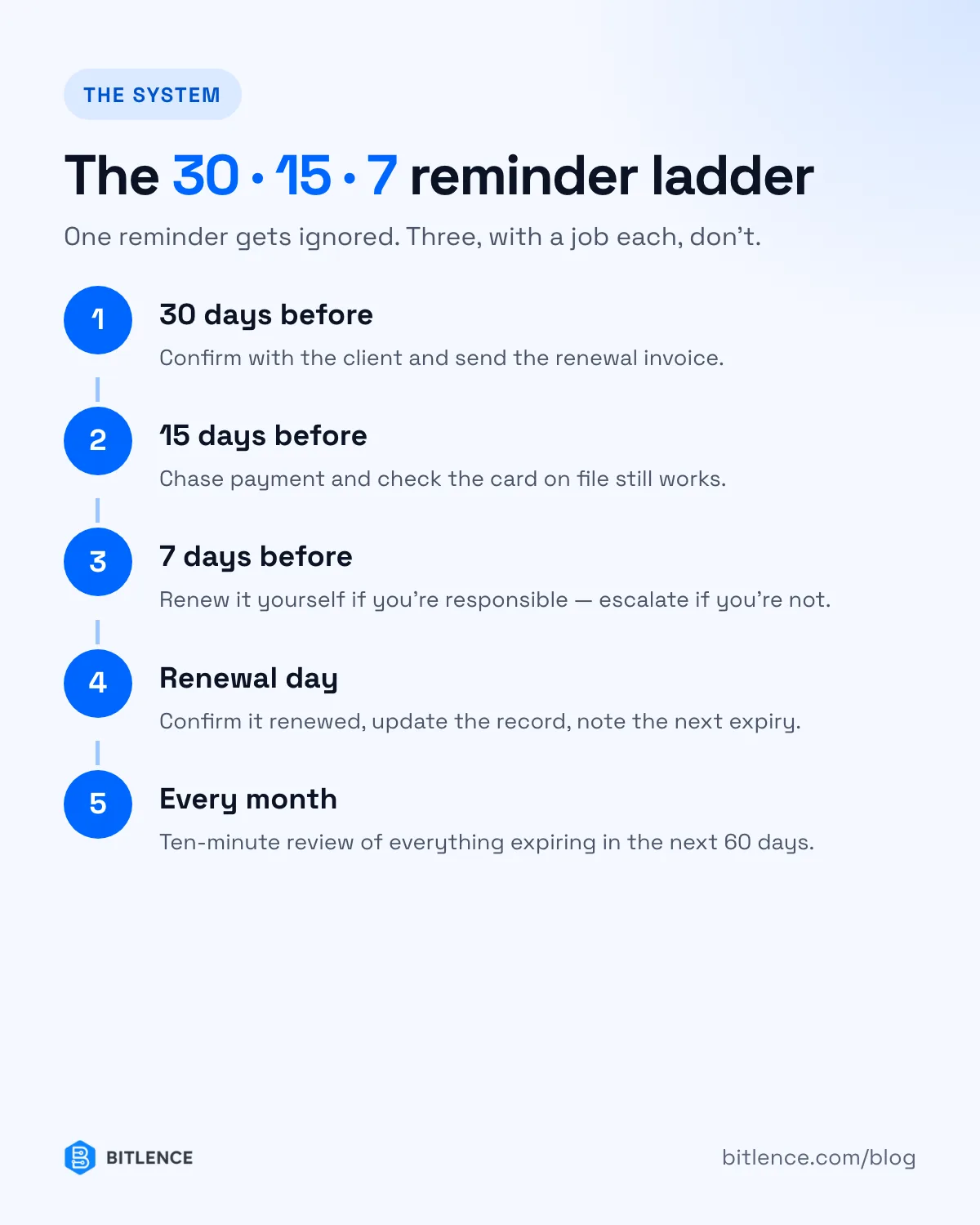
A single reminder gets ignored. Use a ladder:
- 30 days before — confirm with the client and send the invoice.
- 15 days before — chase payment, check the card on file.
- 7 days before — renew it yourself if you're responsible; escalate if you're not.
Step 3: Send reminders to a shared address
Use something like renewals@youragency.com that more than one person reads, and update the contact email at every registrar and host. People leave; shared inboxes don't.
Step 4: Turn renewals into income
Every renewal is a reason to talk to the client. Invoice renewals 30 days ahead with a small management fee, and bundle domain, hosting, backups and updates into a yearly maintenance contract. Clients prefer one predictable bill to surprise outages.
Step 5: Review monthly
Once a month, look at everything expiring in the next 60 days. It takes ten minutes and catches what the reminders miss.
When a spreadsheet stops being enough
Spreadsheets work until you manage a few dozen assets. Then the problems start: nobody updates them, they can't send reminders on their own, and there's no history of what was sent to whom.
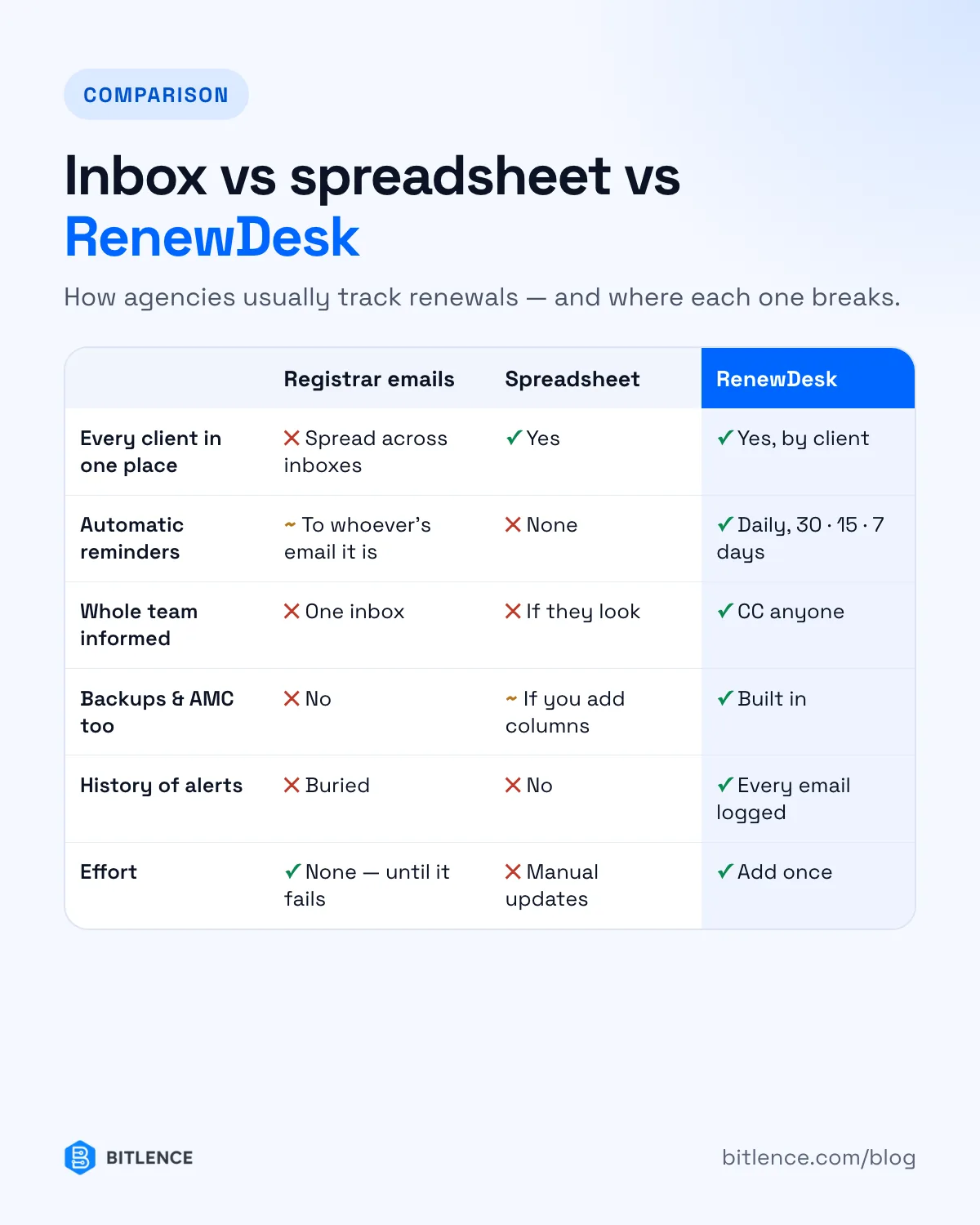
That's why we built RenewDesk for our own client work. It keeps every client's domains, hosting, maintenance contracts and backup schedules in one dashboard. A daily job checks every asset and emails your team 30, 15 and 7 days before anything expires — with as many people copied as you like. It's self-hosted, so your client data stays on your own server.
RenewDesk is a paid product; contact us for pricing, or open the live demo. And if you'd rather hand the whole job over, our website care plans cover renewals, updates and backups for you.