How a QR code attendance system works — and how it stops buddy punching
Staff scan a QR code, the phone checks the location, and attendance syncs to HR instantly. How QR attendance works, its limits, and what to look for.

Paper registers get filled in at the end of the week. Biometric machines need hardware at every site, break down, and still need someone to export the data for payroll. Excel sheets get emailed around and nobody trusts the totals.
A QR code attendance system replaces all of that with something every employee already carries: their phone. Here's how it actually works, where it's strong, where it isn't, and what to check before you pick one.
How QR attendance works, step by step
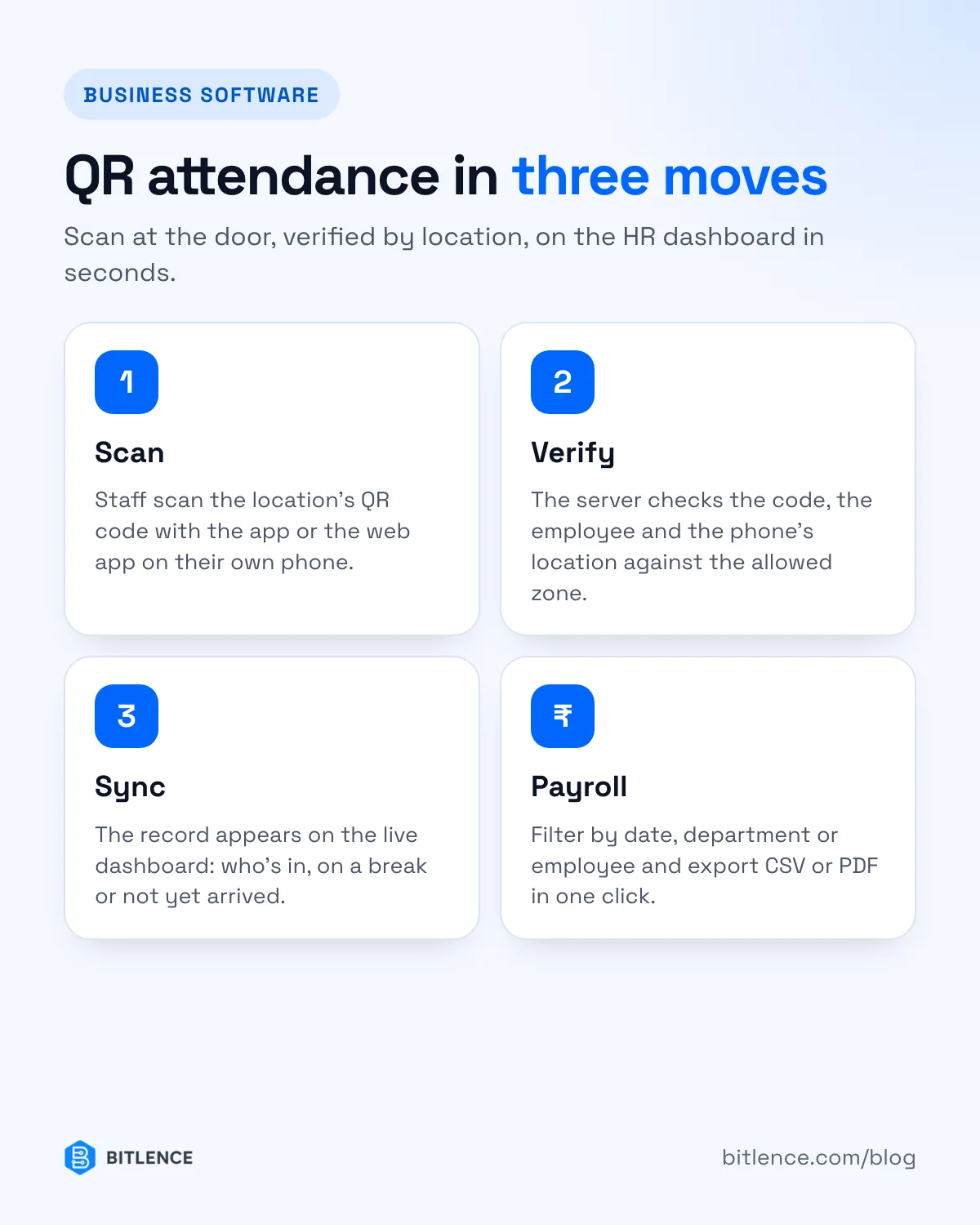
- Each location gets its own QR code. The admin adds an office, shop, warehouse or site in the web portal and prints the code. It goes on a wall near the entrance.
- Employees log in once on a mobile app or an installable web app, with their own account.
- They scan the code when they arrive. The app reads the code, adds the time and the phone's location, and sends it to the server.
- The server checks the scan. Is this a real code for a real location? Is the employee assigned to it? Is the phone actually near that location?
- The record appears on the dashboard instantly. Managers see who's in, who's on a break and who hasn't arrived — without anyone collecting sheets.
- Reports go to payroll. Filter by date, department or employee and export to CSV or PDF.
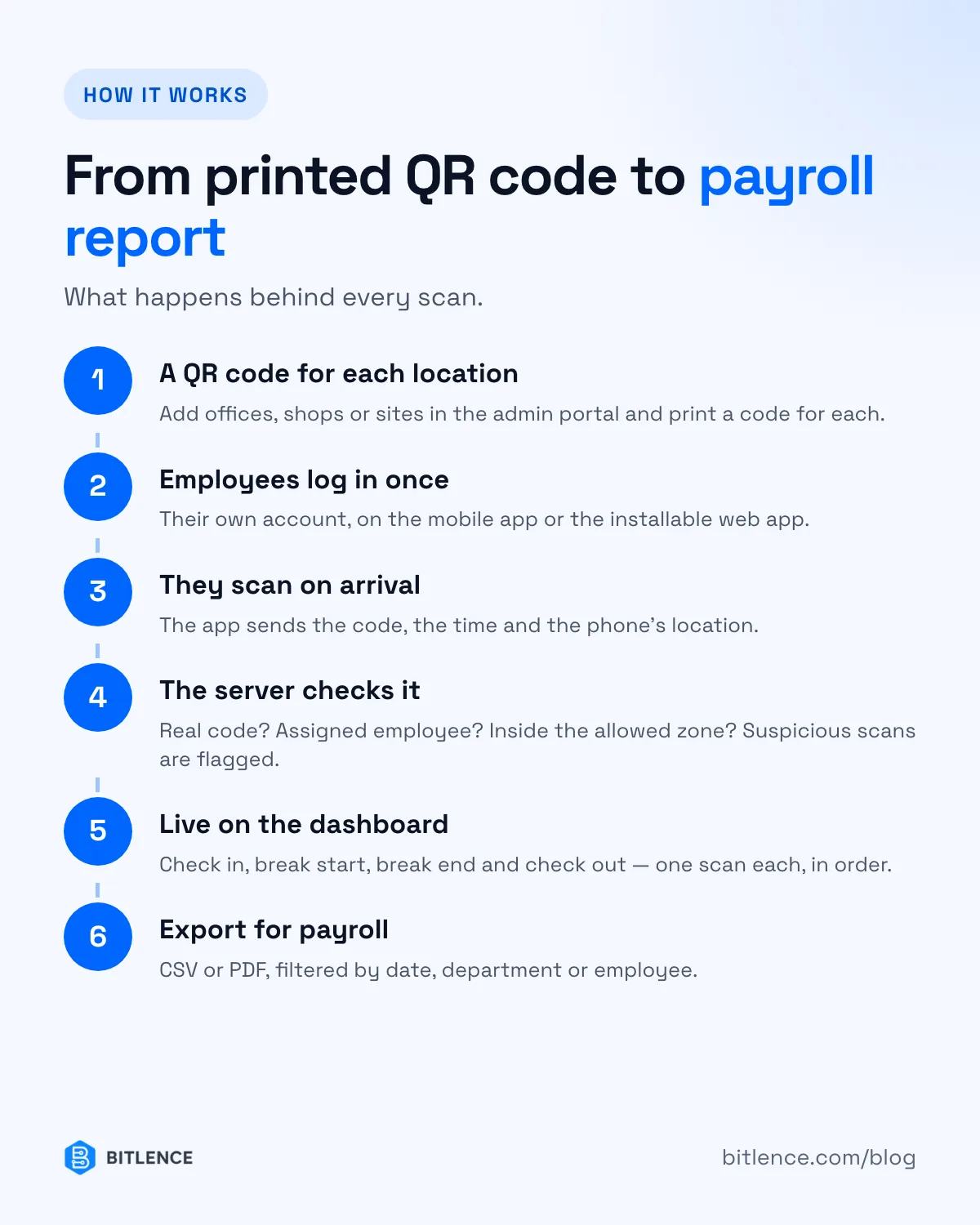
Good systems also make the same scan do more than check-in. One scan starts your day, the next starts your break, the next ends it, and the last checks you out. Staff don't choose from a menu; the system knows what comes next.
How it stops buddy punching
"Buddy punching" is when one employee marks attendance for another — signing the register for a late colleague, or clocking in with their card. QR attendance makes it much harder in three ways:
- Personal logins. Each scan is tied to the employee's own account on their own phone. Marking for a colleague means having their phone and their password.
- Geofencing. Every location has an allowed zone. If a scan comes from outside it — from home, or from a photo of the QR code sent on WhatsApp — it's flagged for a manager to review.
- An audit trail. Every scan keeps its time, location and device, so unusual patterns are easy to spot later.
Be realistic about the limits, too. Phone GPS can be inaccurate indoors, and determined people can try location-spoofing apps. That's why good systems flag suspicious scans for review rather than silently rejecting them, and why a manager glancing at the dashboard is still part of the process.
QR attendance vs biometric machines
Biometric (fingerprint or face) machines are hard to fool, but they come with real costs:
- Hardware at every location, plus installation, maintenance and replacement when they fail.
- Queues at shift change, and fingerprint readers that struggle with dusty or worn hands.
- Data stuck in the device until someone exports it.
- Field staff and multiple sites are awkward — you need a machine wherever people start work.
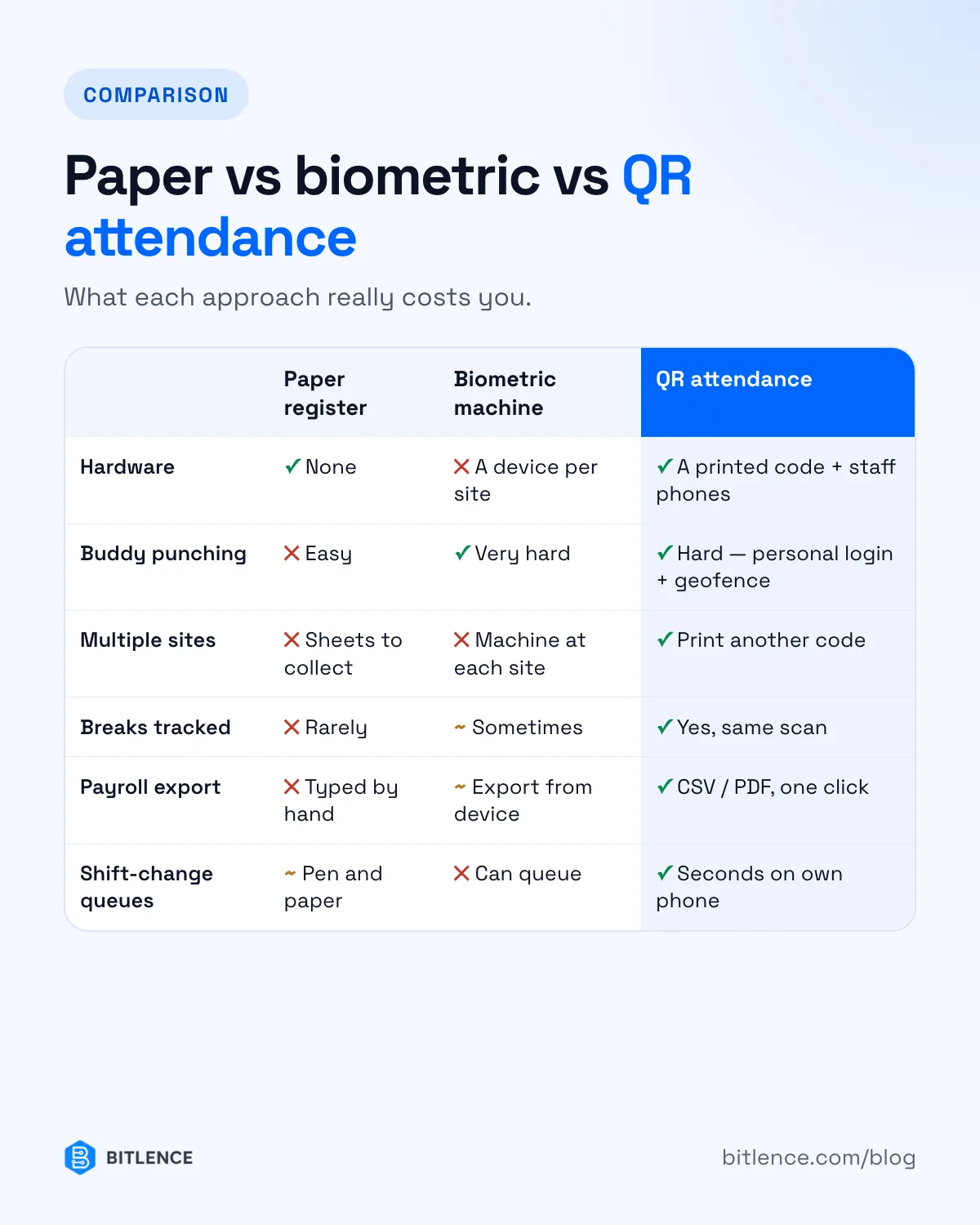
QR attendance needs only a printed code and the phones your team already has. It suits offices, retail chains, warehouses, schools and construction sites where people work across several locations. Where you need maximum certainty — high-security sites, for example — biometric hardware still has a place.
What to look for when choosing a system
- Geofenced validation that flags scans outside the allowed zone.
- Breaks, not just in and out, so worked hours are accurate.
- A live dashboard of who's present today.
- CSV and PDF exports your payroll person can actually use, filtered by date, department and employee.
- Works without installing an app, for staff who'd rather use the browser.
- Employee self-service, so staff can see their own history instead of asking HR.
- Your branding and your own domain, if it's going to be part of your company's tools.
- Clear data ownership — know where attendance data is stored and who can export it.
How Bitlence Attendance does it
We built Bitlence Attendance around exactly this flow: a Flutter app for Android and iOS, an installable web app for staff who prefer the browser, and a web portal for managers. One QR scan moves each employee through check in, break start, break end and check out; geofencing flags scans made outside the allowed zone; and logs export to CSV or PDF for payroll.
It's a paid product, set up for each company with your locations, shifts and branding. Contact us for pricing, or try the admin portal demo.